Image
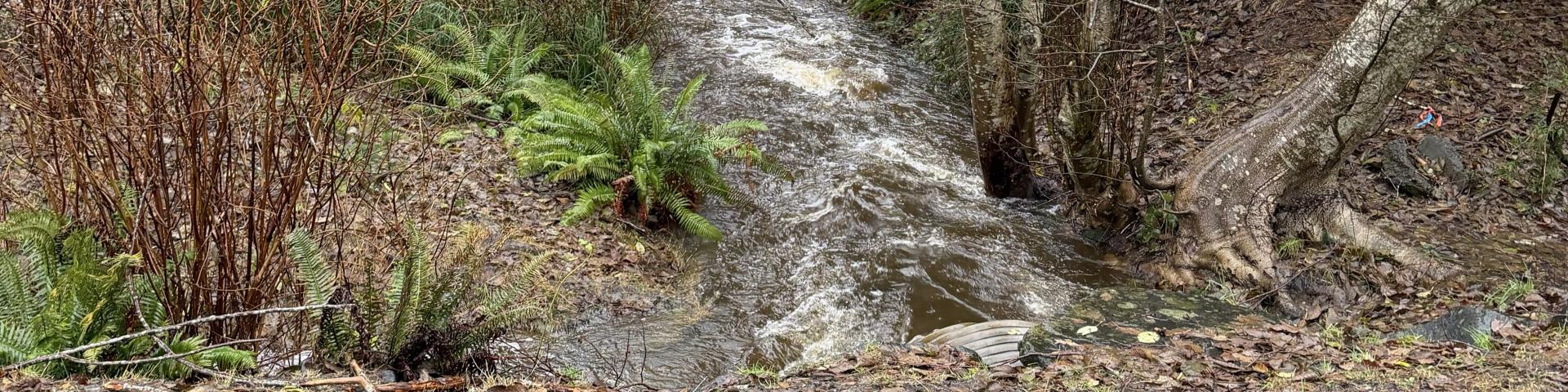

Heavy rainfall is causing overland flooding in Electoral Area D of the Strathcona Regional District (SRD). With water levels potentially rising quickly in low-lying areas, ditches and near creeks, residents are encouraged to take precautions to protect their homes and properties.
The SRD Emergency Operations Centre (EOC) has been activated and is closely monitoring the situation as conditions evolve.
To assist residents in protecting their homes and properties, free sand and sandbags are available at the following locations:
Residents are asked to bring their own shovel and work gloves. Supplies are limited, so please only take what you need to ensure supplies remain available for others.
An additional sandbag location is expected to be established later today. Further information will be shared once available.
Properly filled and placed sandbags can help slow the flow of water and reduce potential flood damage. Residents using sandbags are encouraged to follow these guidelines:
Sandbags help slow and redirect water but will not make a building waterproof. Do not place sandbags in ditches, drains or culverts, as this may redirect water onto neighbouring properties.
The SRD encourages residents to remain aware of changing conditions and take the following precautions:
| Situation | Contact |
|---|---|
| Life-threatening emergency | Call 9-1-1 |
| Blocked culverts, ditches or flooding on rural roads | Mainroad North Island Contracting – 24-hour line: 1-877-215-7122 |
| Downed power lines | Stay at least 10 metres back and call 9-1-1 |
| Power outages | BC Hydro: 1-888-769-3766 (1-888-POWERON) or visit bchydro.com |
| Road closures and conditions | DriveBC.ca |
| Sandbag locations and SRD-related inquiries | Strathcona Regional District: 250-830-6702 |
Residents are encouraged to stay informed through the following channels:
The SRD Emergency Operations Centre will continue to monitor conditions and provide updates as information becomes available. Residents are encouraged to take appropriate precautions, remain aware of changing conditions and share this information with neighbours who may be affected.
SRD EOC Contact: Strathcona Regional District Emergency Operations Centre - 250-830-6702 | preparedness@srd.ca

When emergencies or critical events happen, the Strathcona Regional District (SRD) issues alerts to people in affected areas, so the appropriate steps can be taken to protect themselves and their loved ones. The SRD offers a free emergency notification service to keep residents, visitors and businesses informed of emergencies in a timely manner. Alerts are sent out by text message, email and voice call to people who subscribe to receive them.
If you know someone who would like to receive notifications but does not have internet access, you can sign up on their behalf or have them call the Strathcona Emergency Program at 250-830-6702.
When signing up, anyone with call control will not receive the access code to sign up for phone alerts. You must temporarily turn off call control to receive the Alertable access code. When you turn call control back on, future alert messages may be blocked by call control. To ensure that all alerts are delivered, add the Alertable phone number (855-756-1140) to your “Authorized List”.
The SRD can also send alerts via the Alertable mobile app. The app has an “Override Silent Mode” feature for critical alerts, allowing it to push notification even if you have your device silenced or do not disturb turned on.
The Alertable app is free and can be downloaded from your mobile phone, tablet, computer or smart speaker. Downloading the app is not mandatory. Even without the app you will still receive a phone call, email and text message, if you have also subscribed to receive alerts via those routes. Alertable covers every community in the SRD.
You can make any changes to your Alertable account (email, phone number etc.) by logging in and updating information yourself. We do not have access at the SRD level to everyone’s personal accounts to make these changes.
If you previously had an account with Connect Rocket, it was transferred to Alertable. You can sign in with the same email address and will receive an access code to login. You will not need to enter your previous password.
If you run into difficulties, you can reach out to Alertable support for assistance at info@peasi.com.